

How to Turn Pet Photos into WhatsApp Stickers (Free, 2026 Guide)
By Peqaboo Team
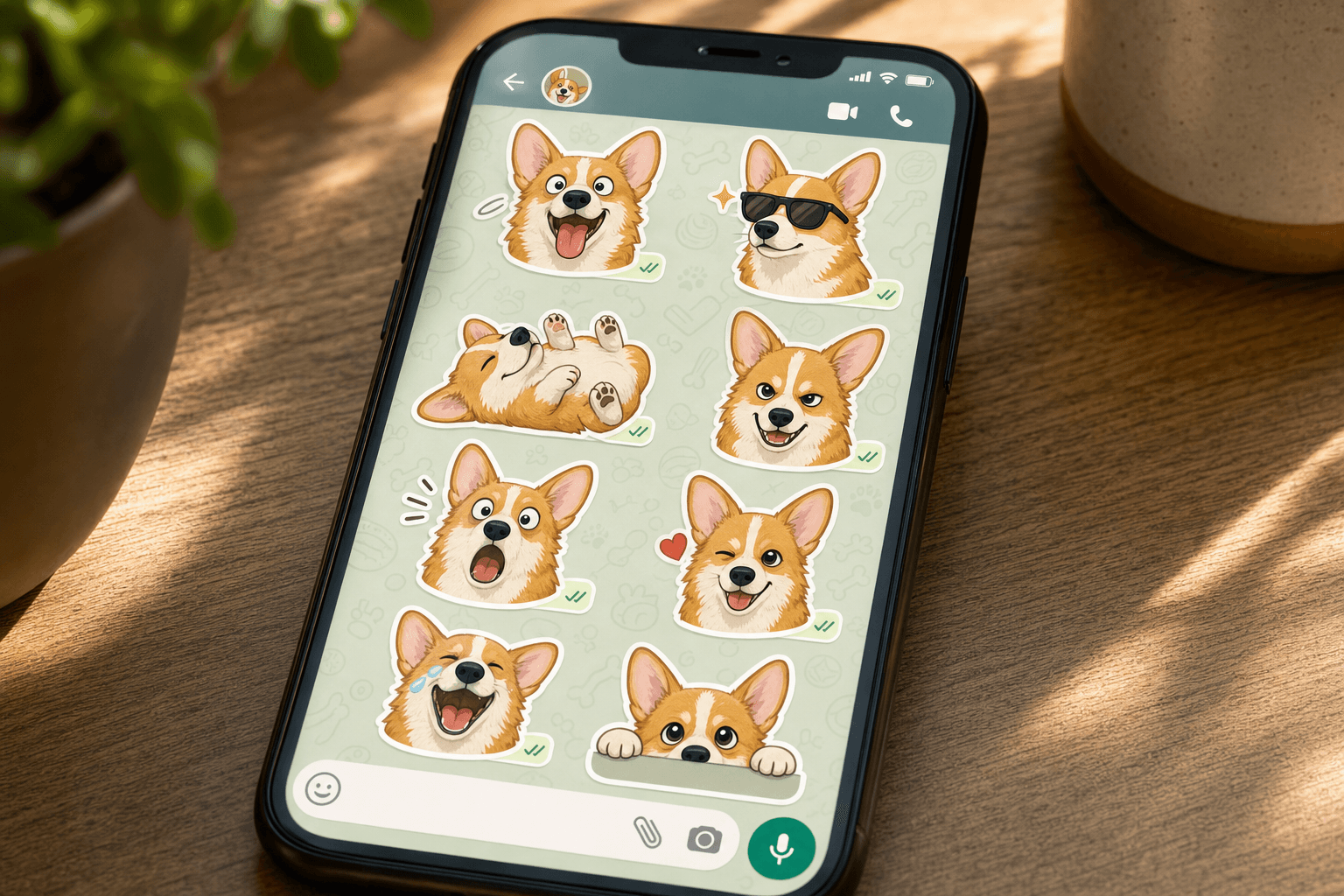
TL;DR. You can turn pet photos into WhatsApp stickers two ways: manually, with a sticker-maker app where you trace each photo by hand, or automatically, with an AI tool that removes the background for you and exports a ready-made pack. Both are free. The manual route gives you control; the automatic route takes about two minutes for a whole pack.
 A personal sticker pack turns your own pet into your favourite emoji.
Every pet owner has that folder: hundreds of photos of the same dog or cat, including at least ten with expressions too good to keep to yourself. Stickers are the best way to use them. Unlike a photo you send once, a sticker lives in your keyboard and gets funnier every time it lands in the middle of a group chat.
WhatsApp does not have a built-in sticker creator on most phones, so you need a third-party tool. There are two honest ways to do this, and the right one depends on how much time you want to spend.
What makes a good sticker photo
Before you open any app, pick the right source photos. This step matters more than the tool.
- Exaggerated expressions win. Mid-yawn, head tilt, side-eye, the guilty look after knocking something off a table. Neutral sitting poses make boring stickers.
- Good separation from the background. A dark dog on a dark sofa is hard to cut out cleanly, whether a human or an AI is doing the cutting. Plain, contrasting backgrounds work best.
- Sharp focus on the face. Stickers render small. A slightly blurry photo that looks fine full-screen becomes mush at sticker size.
- Shoot a burst next time. The best sticker faces last half a second. Burst mode catches them.
Aim for 10 to 20 photos. WhatsApp packs hold up to 30 stickers, but a tight pack of your pet's 12 best faces beats a padded pack of 30 average ones.
 Big, exaggerated expressions make the best sticker source photos.
Method 1: manual sticker-maker apps
Apps like Sticker Maker and Sticker.ly are free on iOS and Android and have been the standard route for years. The workflow:
- Download a sticker-maker app from the App Store or Google Play. Most are free with ads.
- Create a new pack and give it a name and author. Both fields are required by WhatsApp.
- Add a photo and trace your pet. You draw around the outline with your finger. The app crops along your line.
- Repeat for every sticker. Each photo is traced individually.
- Add the pack to WhatsApp with the export button. The pack appears in your sticker drawer.
The manual route is fine for two or three stickers. Its weaknesses show at pack scale: finger-tracing fur is genuinely hard, and a 15-sticker pack takes most of an hour. Ears, whiskers, and fluffy tails usually end up with a halo of leftover background or a clipped edge.
Method 2: automatic AI background removal
The modern route replaces the tracing step with AI image matting, which detects your pet and cuts around individual strands of fur far more precisely than a fingertip can.
In the Peqaboo app, the flow looks like this:
- Open Magic Stickers and pick photos from your gallery. You can select a whole batch at once.
- The AI removes each background automatically. Fur edges, whiskers, and ears survive the cut because the matting model was built for exactly this.
- Optional: add styles or captions. Keep the natural photo look, or apply a sticker-style outline.
- Export the pack. One tap sends the finished pack to WhatsApp. Telegram and iMessage exports are built in too, so the same pack works across all three.
A batch of 15 photos takes about two minutes end to end. There is no per-sticker fee, and you do not need any design skills.
Manual vs automatic at a glance
| Manual (Sticker Maker apps) | Automatic (Peqaboo Magic Stickers) | |
|---|---|---|
| Cost | Free, ad-supported | Free |
| Time for a 15-sticker pack | 45-60 minutes | About 2 minutes |
| Fur and whisker edges | Rough, depends on your tracing | Clean AI matting |
| Control over the crop | Full manual control | Automatic, with re-edit option |
| Export targets | WhatsApp, Telegram, iMessage |
If you enjoy the craft of tracing or want a very specific crop, the manual route still earns its place. If you just want your cat's outraged face in your keyboard by tonight, automation is the obvious pick.
Tips for a pack people actually use
- Cover the reaction spectrum. Happy, judging, sleepy, shocked, begging. A useful pack answers most chat situations.
- One concept per sticker. A sticker that needs explaining is a photo, not a sticker.
- Test at small size before finalising. If the expression stops reading when small, crop tighter on the face.
- Version your packs. "Mochi Vol. 2" six months later is a gift to every group chat your pet has colonised.
FAQ
Are WhatsApp stickers really free to make? Yes. Both manual sticker-maker apps and Peqaboo's Magic Stickers are free. WhatsApp itself never charges for adding or using sticker packs.
How many stickers fit in one WhatsApp pack? A pack holds up to 30 stickers, and each needs to be a 512 x 512 image under 100 KB. Any decent tool, manual or automatic, handles the sizing for you.
Can I use the same stickers on Telegram and iMessage? Yes, but manual apps usually lock you to WhatsApp. Peqaboo exports the same pack to WhatsApp, Telegram, and iMessage, so you only build it once.
Do animated pet stickers work too? WhatsApp supports animated stickers. Short, looping clips of a head tilt or tail wag work well, though they take more effort to source. Start with static stickers and add animated ones to a later pack.
Will background removal work on a black cat or a dark photo? AI matting handles dark fur far better than manual tracing does, but it still benefits from contrast. If your pet is dark, pick photos taken against lighter backgrounds.
Get your pet into your keyboard
The fastest route from camera roll to group chat: download Peqaboo, open Magic Stickers, select your pet's best 15 faces, and export the pack to WhatsApp. Two minutes, free, and every chat your pet enters is instantly better. Download the app and start with the photos you already have.